
D5 Render has quickly become a go-to rendering software for architects and designers thanks to its real-time ray tracing, GPU-accelerated workflow, and direct sync with tools like SketchUp, Revit, and Rhino.
But is the free version enough, or do you actually need Pro? And what about team licensing?
Here's the full breakdown of D5 Render pricing in 2026, covering all subscription tiers, included features, and limitations, so you can figure out which option makes sense for your workflow and budget.
D5 keeps things simple with three tiers: a free Community version, Pro for professionals, and Teams for larger studios.
Annual billing saves you 20% on Pro and 21% on Teams compared to monthly payments.
Here’s what’s included in each plan.
The Community plan is the easiest way to start using D5, with a surprisingly generous set of resources, including:
D5 Pro costs $38/month or $360/year (which works out to $30/month). The annual plan saves you ~21%. If you're tired of hunting for third-party assets, Pro pays for itself in the time you save.
Pro unlocks commercial use rights and significantly expands what you can do. Plus, the asset library jump from ~2,000 to 13,000+ items is substantial.
Pro adds:
Teams pricing starts at $75/month per seat, or $708/year per seat ($59/month), which is a 21% discount for annual billing.
D5 for Teams makes sense when multiple people need to work on renders together, or when you want centralized asset management across your studio. Minimum two seats are required.
Teams includes everything in Pro, plus:
Students and educators can apply for a free D5 Education license that also includes many Pro features. There are no watermarks and no cost.
The main limitation: it's a fixed-seat license, meaning it only works on one specific computer. You apply through D5 Render itself (version 2.11+), and approval typically takes a few days.
D5 Lite is a separate free product, not a trial of D5 Render. It's a permanently free app aimed at students and hobbyists, with a narrower feature set tuned for small projects.
Lite caps scene complexity, limits export to 2K, ships with a trimmed asset library, and can't run cloud rendering. For coursework and single-building residential scenes, D5 Lite is genuinely usable long-term at no cost.
If your work needs the full asset library, animations, VR output, or resolution above 2K, you're looking at D5 Render proper. That means either the Community tier (free with watermark and 1080p cap) or Pro (around $30/month or $228/year as of April 2026, though D5 changes prices often, so check d5render.com before buying).
Here's what the pricing page doesn't emphasize: D5 Render only runs on Windows and requires a DirectX 12–capable dedicated GPU. If you’re on a Mac or don’t have a dedicated GPU, D5 isn’t really an option, at least not without major workarounds.
Minimum requirements:
Recommended for smooth performance:
Read our full guide to D5 Render's system requirements to make sure your workstation can run it smootly.
D5 Pro includes cloud render access but not unlimited cloud rendering. Pro subscribers get a monthly allocation of cloud credits that reset each billing cycle. As of April 2026 that works out to roughly 100-200 minutes of cloud render time per month at 4K, though D5 adjusts the allocation periodically so check the current number on their website.
Heavier users should buy additional credits at per-render pricing on top of the subscription. In practical terms: if you produce fewer than ten final stills or one short animation in a month, the included credits cover you. If you're running a studio producing long animations or dozens of high-resolution stills, cloud render turns into a variable cost that needs its own line in your project budget.
D5 lists prices in USD globally. If you're buying from India, Brazil, or the EU, local reseller pricing sometimes comes in 5-15% off (or sometimes over) the USD sticker, depending on currency conversion and regional promos running that week.
D5's parent company is based in China, which shows up in the sales calendar. Chinese New Year (late January into early February), Black Friday, and back-to-school windows typically drop annual pricing 20-25% below list. If your purchase timing is flexible, waiting for one of those windows is worth the delay.
For Indian architects specifically, Novedge handles D5 with INR billing and local GST. Worth checking both Novedge and direct-from-D5 on the day you're buying, since the cheaper option flips depending on which promo is running.
For professionals doing client work, yes. The D5 Render Pro pricing of $360/year is competitive and cheaper than Lumion ($1,149+), Enscape ($574+), or V-Ray ($540+).
Based on user experience from the D5 forum, most professionals find the Community-to-Pro upgrade worthwhile once they're doing regular client work. The asset library alone saves hours of sourcing.
D5 Pro is worth it if you:
D5 Pro might not be worth it if you:
When D5’s hardware demands or Windows-only support become limiting, AI-native rendering provides an alternative approach.
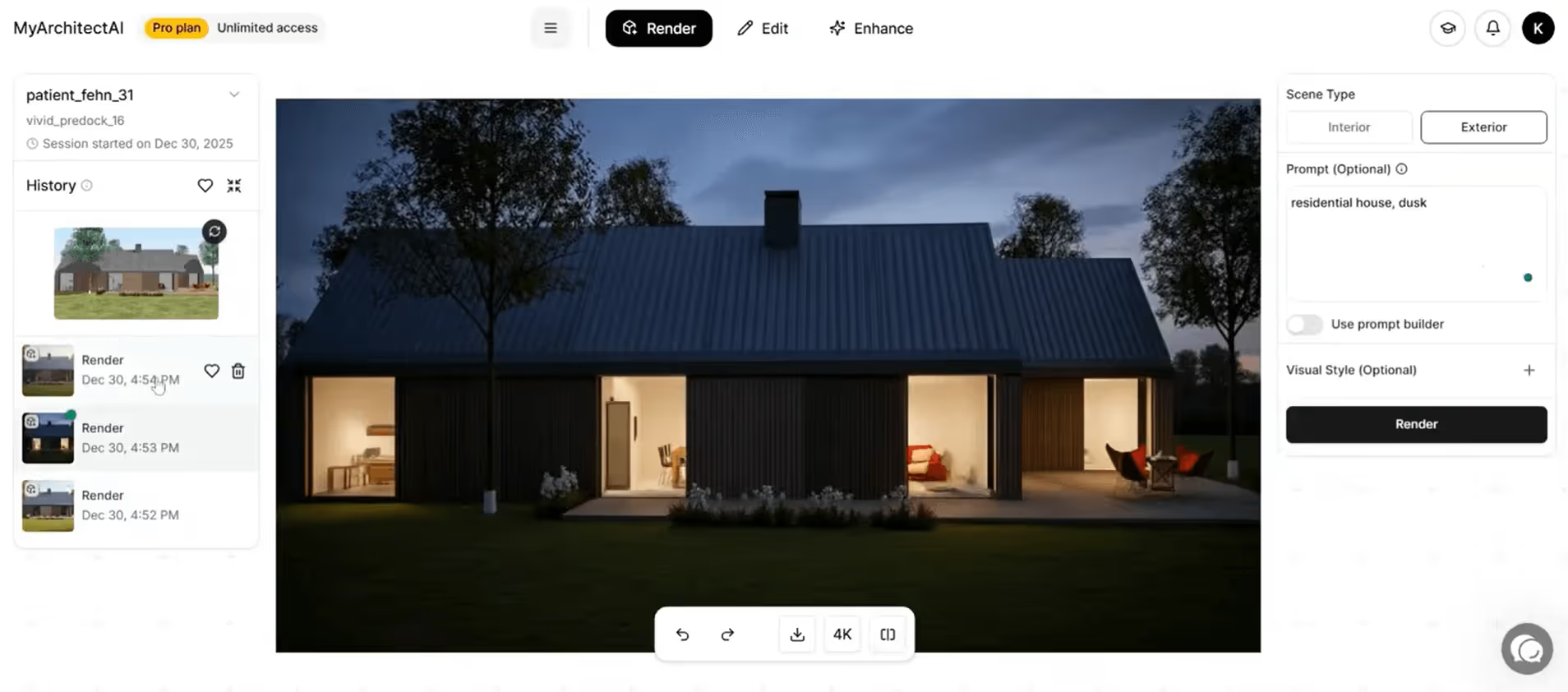
MyArchitectAI runs entirely in your browser and produces photorealistic results in seconds rather than minutes. No GPU requirements, plus it works on Mac. No installs either.
D5 Community is free for non-commercial use. D5 Pro costs $38/month or $360/year. D5 for Teams starts at $75/month per seat ($708/year per seat). Annual plans save ~21%.
Yes—with limits. D5 Community is genuinely free to download and use, with no trial period or expiration. You get unlimited projects, 16K image rendering, and live sync with SketchUp, Revit, Rhino, and other modeling tools.
No. D5 Community is strictly for learning, personal projects, and evaluation. Any commercial, revenue-generating, or professional work requires a D5 Pro license.
No. D5 Render requires Windows and DirectX 12. There's no Mac version, and the team hasn't announced plans for one. This is mainly due to its DirectX 12–based rendering pipeline, which macOS does not support.
Pro is a single-user license for individual professionals. Teams adds collaborative features like shared projects with version syncing, virtual tours, cloud workspace, and team resource sharing. D5 Teams requires a minimum of two seats.

.webp)