D5 Render System Requirements (2026): Minimum, Recommended & Laptop Specs

Written by
Kacper Staniul
| Last updated on
April 24, 2026

D5 Render is one of the most impressive real-time rendering tools available today, known for its stunning visual quality and intuitive workflow.

But there’s a catch: it’s not available for Mac, and its system requirements are very steep. You’ll need a powerful Windows PC with a high-end GPU to keep it running smoothly.

In this guide, we’ll break down D5 Render’s system requirements so you know exactly what kind of setup you need for a fast, stable experience. We’ll also look at lightweight, cloud-based alternatives you can run on any device.

D5 Render system requirements in 2026: quick overview

No ray tracing support? D5 likely won't even launch.

D5 Render is a GPU-based renderer built on DXR and ray-tracing technology. Unlike traditional CPU renderers, D5 demands a graphics card that supports hardware ray tracing. 

Here's what you're really signing up for with D5 system requirements:

  • Mandatory ray tracing GPU (GTX 1060 minimum won't cut it for real work)
  • Windows-only platform—Mac users are completely locked out
  • Constant driver updates that can break compatibility
  • NVIDIA 531.14 and above graphics drivers are not compatible with Windows 10 v1909 and below, which will cause D5 to crash

In addition to those, D5 requires specific components that many architects don't have readily available. This isn't just about having a decent computer anymore; it's about having the right type of components working together.

Your graphics card has a direct impact on preview smoothness and rendering speed. Your RAM determines how complex your scenes can be. And if any component falls short, you'll face crashes, slow performance, or the inability to run the software at all.

Minimum requirements

The official minimum D5 Render specs get you in the door, but don't expect smooth sailing. You can technically open the software. However, rendering complex architectural scenes will bring your system to its knees.

  • GPU: NVIDIA GTX 1060 6GB or above, AMD Radeon RX 6000 XT or above, or Intel Arc A3 or above
  • OS: Windows 10 v1809 or above
  • RAM: 16GB (though you'll still struggle with anything complex)
  • CPU: No official minimum, but you need decent single-core performance
  • Driver: D5 2.7 requires the NVIDIA driver above 527.27 to open scene files

Recommended requirements

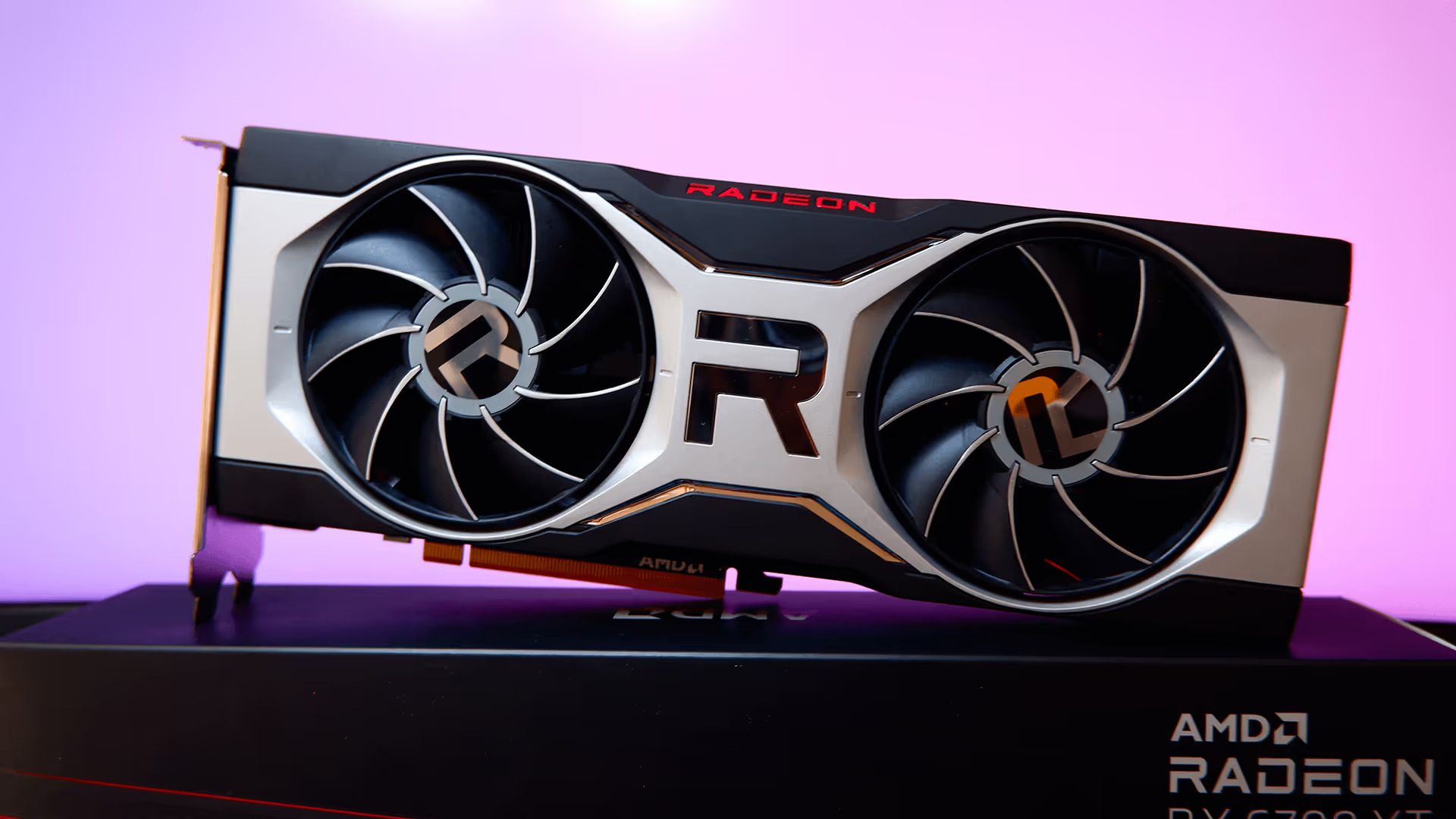
For professional production workflows, D5 Render officially recommends NVIDIA GeForce RTX 3060 (12GB VRAM) or AMD Radeon RX 6700 XT (12GB VRAM). Notice the emphasis on VRAM – that 12GB is crucial, and you’ll soon see why.
  • GPU: NVIDIA RTX 3060 (Ti) or higher for enhanced real-time performance
  • CPU: Intel Core i5-11400 or AMD Ryzen 3 5300G for smooth interactivity
  • RAM: 32 GB (16×2) DDR4 to handle complex scenes efficiently
  • Storage: SSD for faster loading (NVMe preferred)
  • OS: Windows 10 21H2 or newer (critical for newer drivers)

High-end requirements

For large commercial projects, you need serious firepower. This is what an optimal configuration looks like:

  • GPU: NVIDIA RTX 3090 for maximum rendering performance (RTX 4090 preferred)
  • CPU: Intel Core i9-13900K or AMD Ryzen 9 7950X for superior processing power
  • RAM: 128 GB (32×4) DDR5 for handling the most demanding projects
  • Storage: Multiple NVMe SSDs for asset streaming
  • VRAM: 24GB+ for complex scenes

That's easily a $5,000+ investment to run D5 Render smoothly. On top of your D5 Render subscription cost, of course.

D5 Lite system requirements

D5 Lite is the free version of D5 Render. VRAM and GPU requirements are lower, so it runs on older or cheaper hardware. Still Windows-only.

Minimum requirements

  • OS: Windows 10 v1809 or later (64-bit)
  • CPU: Intel i5-8400 / AMD Ryzen 5 2600 or better
  • GPU: NVIDIA GTX 1050 Ti 4GB / GTX 1650 4GB (DXR-capable)
  • RAM: 8 GB
  • Storage: 20 GB free SSD

Recommended requirements

  • GPU: RTX 2060 6GB or better
  • RAM: 16 GB
  • Storage: NVMe SSD with 50+ GB free

D5 Lite vs D5 Render: which to choose?

Lite is usually the right pick for students, single-building residential work, or GPUs with 4-6 GB of VRAM. Go with the full D5 Render if you need the asset library or animation timeline, or if you work on masterplans and commercial projects. Lite runs out of headroom fast on those.

D5 Render hardware limitations and performance issues

Operating system restrictions

This might be D5's biggest limitation. D5 Render is partially based on DirectX Raytracing (DXR) technology from Microsoft, which sets the minimum operating system requirement for D5 at Windows 10 v1809.

That means:

  • No Mac support – D5 Render runs on Windows only. Workarounds on Apple hardware are Boot Camp (Intel Macs only), Parallels, or a dual-boot Windows partition. For Apple Silicon caveats and benchmark notes, see our D5 Render for Mac guide.
  • No Linux compatibility – Windows or nothing
  • Specific Windows builds required – wrong version = crashes
  • Forced updates – stay current or lose functionality

The VRAM hunger problem

Video memory determines the performance of handling complex scenes, but D5's VRAM consumption is voracious. Real user reports show:

  • VRAM usage constantly spikes to 100% even when working with scenes that used to run smoothly before
  • If the dedicated GPU memory usage has reached 80% or above when running the current scene, the core advantage of the graphics card will decrease and get into an unstable state
  • Even the RTX 4080 Super with 16GB can hit limits

According to those reports, the VRAM D5 Render specs escalate quickly:

  • Simple residential: 6-8GB VRAM
  • Medium commercial: 12-16GB VRAM
  • Large masterplans: 20GB+ VRAM
  • Complex interiors with detailed furniture: Often exceeds 24GB

Driver compatibility

D5 depends heavily on current GPU drivers—but the latest NVIDIA drivers (531.14 and above) are incompatible with Windows 10 v1909 and older. If that’s your case, you're caught between three (and all somewhat lose-lose) options:

  • Update drivers with the risk of breaking Windows compatibility
  • Update Windows with the risk of breaking project compatibility
  • Avoid updates and lose access to newer D5 versions

Lack of multi-GPU support

D5 uses only one graphics card at a time. It doesn’t support SLI, NVLink, or multi-GPU load sharing, so extra cards add no benefit. Your expensive SLI setup? Completely useless. That second RTX 4090? Dead weight.

The shared memory trap

When the video memory of the GPU is out of usage, the Windows system will convert about 50% of RAM to video memory (Shared GPU memory) as a complement. Sounds helpful, but shared memory is dramatically slower than VRAM. When D5 starts using RAM as VRAM, performance tanks.

CPU and RAM requirements

While D5 is GPU-focused, the CPU is mainly responsible for D5's interaction and game thread. What they don't emphasize:

CPU reality:

  • A high-performance CPU contributes to smooth interactivity and increases work efficiency when rendering
  • Single-core performance matters more than core count
  • Loading large models can max out even high-end CPUs

RAM insights: That's why some users see a nice overall performance of D5 when they are using RTX 3050 4GB, with 32GB of RAM. But this is a band-aid – shared memory is 10x slower than VRAM.

Real-world performance

Having all those technicalities at hand, let’s see what the actual performance looks like depending on your system specs.

Minimum specs (GTX 1060 6GB):

  • Simple house exterior: 20-25 FPS
  • Add interiors: 10-15 FPS
  • Add landscaping: 5-10 FPS
  • Commercial project: Unusable

Recommended specs (RTX 3060 12GB):

  • Simple projects: Smooth 30+ FPS
  • Medium complexity: 20-25 FPS
  • Large residential: 15-20 FPS
  • Masterplan views: Frame rate drops when doing complex scenes like these

High-end specs (RTX 4090 24GB):

  • Most projects: 30+ FPS
  • Complex scenes: 20-25 FPS
  • Extreme detail: Still hits VRAM limits
  • Multiple 4K textures: Performance drops

Even at the top tier, D5 Render’s GPU-bound design means performance scales almost linearly with VRAM availability. The speed depends mostly on how much VRAM your GPU has and how heavy your textures are—the CPU makes very little difference.

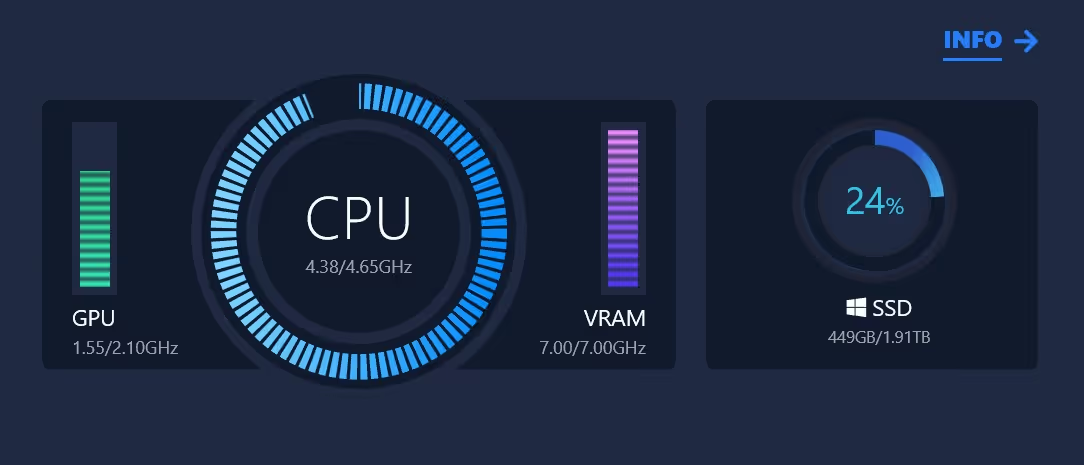
Test your workstation with the D5 benchmark scene

D5 has an official benchmark scene you can run before starting a project.

Open D5 Render, go to Help, Benchmark, and load "Benchmark Villa". Average FPS in explore mode at 1080p medium quality is the number to watch:
  • Below 15 FPS means you'll struggle on anything past simple interiors.
  • 20 to 30 FPS is workable for residential work.
  • Above 30 FPS and you'll stay productive on medium-complexity projects.

Fixing common D5 Render’s hardware-related issues

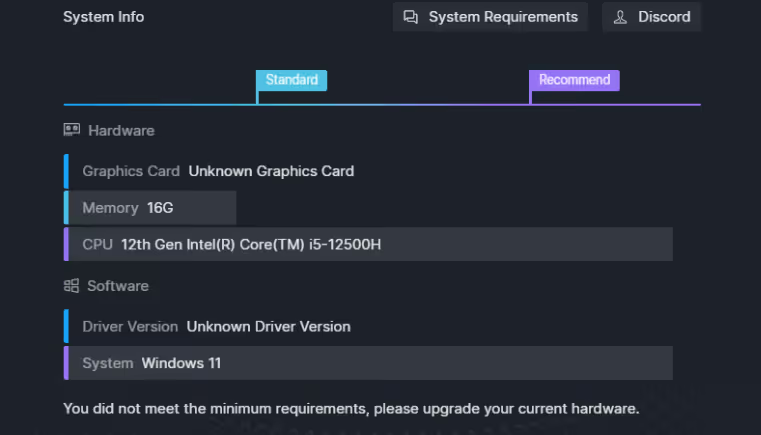
"Unknown graphics card"

  • Cause: Your GPU doesn't support ray tracing, or your drivers are outdated. 
  • Solution: No fix except hardware upgrade.

TDR errors and crashes

  • Cause: Windows uses the TDR mechanism when the GPU doesn’t respond in time. In D5 Render, heavy scenes or high VRAM usage often trigger these TDR faults.
  • Solution: Start D5 Render with administrator privileges and restart your computer. This may stabilize things temporarily, but it doesn’t fix underlying hardware bottlenecks.

100% VRAM usage

  • Cause: The program is slowing down noticeably, and VRAM usage up to 95% levels. Common even with high-end cards. 
  • Solutions:
    • Reduce texture resolution
    • Disable effects
    • Simplify geometry
    • Buy more VRAM

Best laptops for D5 Render in 2026

D5 Render is GPU-bound, so on a laptop the GPU and VRAM matter far more than the CPU. Integrated graphics won't run it. You need a dedicated NVIDIA RTX card with DXR support. Three tiers based on what actually performs in D5:

Budget tier (~$1,200 to $1,500)

Fine for students and small residential work. Single-building scenes edit smoothly. Masterplans will choke.

  • Lenovo Legion Slim 5: RTX 4060 8GB, Ryzen 7 7840HS, 16 GB RAM
  • ASUS TUF Gaming A15: RTX 4060 8GB, Ryzen 7 7735HS, 16 GB RAM
  • Acer Nitro V 16: RTX 4060 8GB, Core i7-13620H, 16 GB RAM

Mid tier (~$1,800 to $2,200)

A reasonable default for most architects. 12 GB VRAM handles medium-complexity interiors and mid-scale exteriors before hitting the VRAM ceiling.

  • Lenovo Legion Pro 5: RTX 4070 8GB, Core i9-14900HX, 32 GB RAM
  • ASUS ROG Strix G16: RTX 4070 8GB, Core i9-14900HX, 32 GB RAM
  • MSI Vector 16 HX: RTX 4070 8GB, Core i9-14900HX, 32 GB RAM

Pro tier ($2,500+)

Studios doing commercial projects, masterplans, or 4K work. Mobile RTX 4090 with 16 GB VRAM is the closest a laptop gets to desktop performance.

  • ASUS ROG Strix Scar 18: RTX 4090 16GB, Core i9-14900HX, 64 GB RAM
  • Razer Blade 18: RTX 4090 16GB, Core i9-14900HX, 64 GB RAM
  • MSI Titan 18 HX: RTX 4090 16GB, Core i9-14900HX, 64 GB RAM

What to skip: anything with less than 8 GB VRAM, AMD Radeon-only configs (DXR compatibility is spotty), and MacBooks. D5 Render has no native Apple Silicon build as of 2026.

The cloud alternative

Instead of wrestling with the D5 Render system requirements, AI renderers like MyArchitectAI eliminate hardware dependencies entirely thanks to running in the cloud.

This means:

  • Zero hardware requirements: Everything runs in your browser. Your 5-year-old laptop works as smoothly as a brand new workstation.
  • Mac compatibility: Works perfectly on any Mac, PC, even tablets. Your entire team can render from any device.
  • Consistent 10-30 second renders: Cloud servers handle processing, delivering fast results regardless of scene complexity.
  • No maintenance: No drivers to update, no hardware to maintain, no IT support needed.
  • Predictable costs: Simple subscription pricing without hidden hardware expenses or upgrade cycles.

How MyArchitectAI works:

  1. Sign up on the website (no installs needed)
  2. Upload your SketchUp, Revit, or ArchiCAD design (JPG/PNG format)
  3. Describe your scene with words (optional)
  4. Click render and wait 10-20 seconds
  5. Download in 4K resolution or edit if needed

The bottom line

D5 Render’s hardware demands are high, but if you’ve got a powerful workstation (or the budget for one) the results are worth it.

For Mac-based studios and freelancers render occasionally and can’t justify that kind of setup, cloud-based AI tools like MyArchitectAI offer a far more practical and affordable alternative.

The future of architectural rendering isn't about who has the biggest GPU or the latest drivers. It's about who can deliver quality results fastest and most reliably. 

Common questions about D5 Render’s system requirements

Can D5 Render run on a GTX 1650?

No. The minimum officially supported GPU is the NVIDIA GTX 1060 6 GB (or equivalent ray-tracing-capable card). A GTX 1650 may not reliably support the required DXR or ray-tracing features.

What graphics card do you need for D5 Render?

Minimum: GTX 1060 6 GB (or AMD RX 6400 / Intel Arc A3).

Recommended: RTX 3060 Ti or higher for real-time work and smoother rendering. 

Is RTX 4070 good for D5 Render?

Yes—the NVIDIA RTX 4070 is well above the recommended GPU threshold for D5, so it’s a strong choice for both interactive work and high-quality output.

Can RTX 2060 run D5 Render?

Possibly—while not listed explicitly among the D5 Render minimum system requirements, RTX 2060 is a ray-tracing capable card and may run the software. However, you should expect reduced performance, and it may struggle in large or complex scenes. Use with caution.

How much VRAM do I need for D5 Render?

The official spec emphasises “dedicated GPU memory” but doesn’t give a fixed VRAM number for all cases. As a guideline: aim for at least 6 GB for basic scenes (per minimum GPU spec), more VRAM if you load complex models, high-res textures, or large animations.